What Is vRack? Private Server Networking
Connect eligible dedicated servers over a private network. Confirm compatibility, locations and bandwidth with DigitalBerg before ordering.



Connect eligible dedicated servers over a private network. Confirm compatibility, locations and bandwidth with DigitalBerg before ordering.
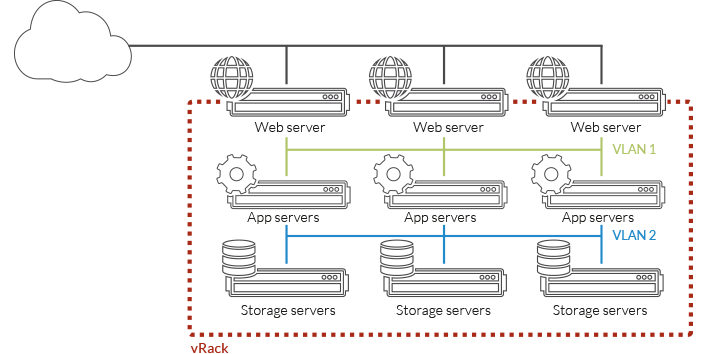
vRack connects compatible servers through a private network so application, database and backup traffic can use private IP addresses instead of public-facing endpoints. VLANs let you separate workloads within that network.
For DigitalBerg orders, confirm that the selected servers support private networking and can join the same network. Available locations, port speeds and options depend on the service. Start with our Infrastructure Dedicated Servers or ask DigitalBerg about compatibility.
Use a private VLAN to separate internal traffic from public-facing endpoints. Restrict access with host firewalls and application authentication.


Making a privately connected service publicly reachable requires an appropriate routing, IP allocation and firewall design. Confirm support and charges for your configuration before deployment.

A load balancer can distribute application traffic to private backend servers. It is a separate service or software component; confirm its availability and health-check requirements for your design.

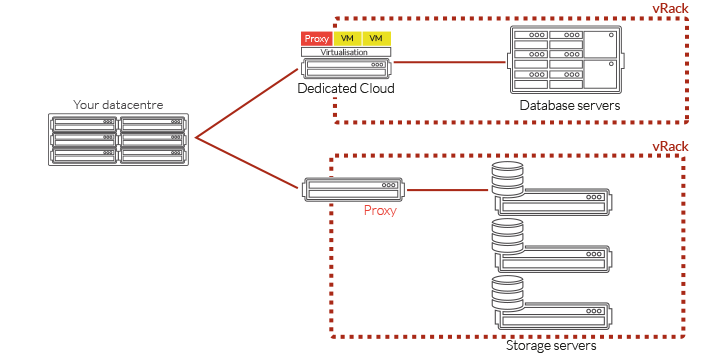
Connecting an office network to hosted servers requires a suitable VPN or dedicated connection. Ask DigitalBerg to confirm supported locations, routing and service options.
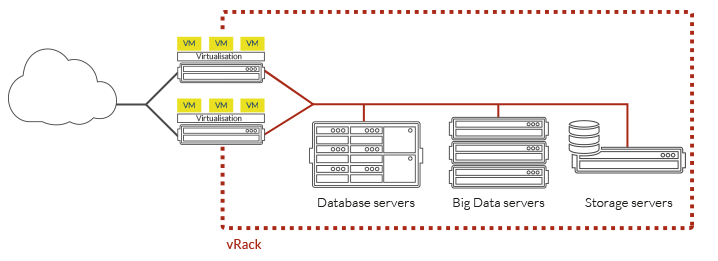
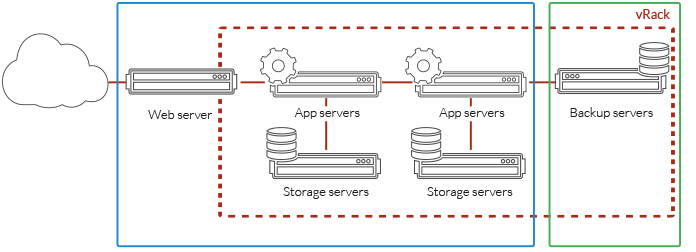
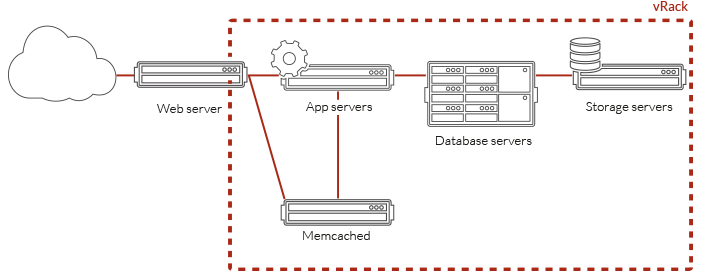
A virtual rack links eligible services using a private network. For example, a public web server can reach an application server and database over private addresses. Keep host firewalls and service authentication enabled; private networking does not by itself encrypt traffic or make every connected system trusted.
ip -br link. Keep the public interface configuration intact.10.20.0.10/24 and 10.20.0.11/24. These are illustrative values.ip -br addr and ip route, then test the peer private IP and required application port. Allow only the necessary traffic in the firewall.See our DigitalBerg vRack setup guide for further guidance. For deployments using OVHcloud vRack, the official dedicated-server configuration guide explains interface identification, while its multiple-VLAN guide covers tagging. Provider control-panel steps apply to that provider; DigitalBerg customers should confirm their activation process with our support team.


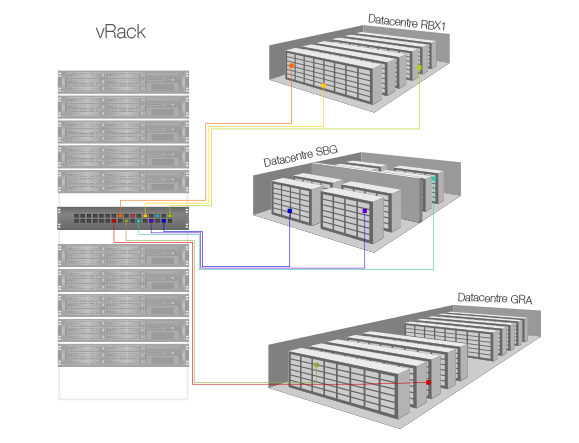
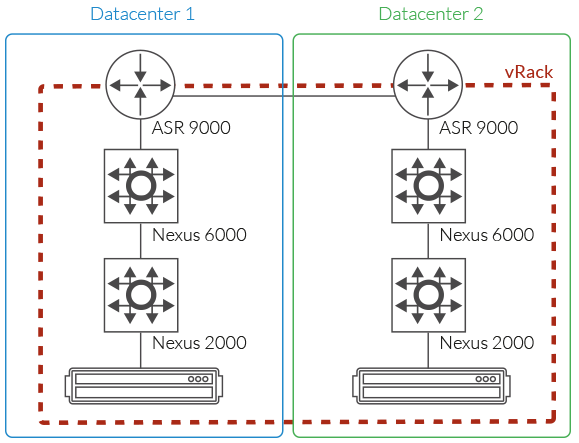
Cross-datacentre private networking depends on the selected services and locations. Ask DigitalBerg to confirm the supported topology before ordering. A server port speed, network backbone capacity and measured application throughput are different quantities.
Latency varies with the route, distance and workload. Confirm the private bandwidth allowance for each server and test the actual path rather than relying on historical network capacity figures or fixed latency estimates.


Eligibility for the vRack?
Eligibility depends on the server range, private network interface and service configuration. Ask DigitalBerg to confirm the exact server references before ordering or connecting them.
Can the vRack be spread over multiple datacenters?
Cross-datacentre connectivity is possible for eligible services and locations. DigitalBerg must confirm the proposed topology, region coverage and bandwidth for your order.
What is the internal vRack speed?
Private port speed and bandwidth depend on the selected server and service. Actual throughput also depends on the interfaces, operating system and workload; ask for the allowance for each server.
Can I connect several VLANs to the same server with vRack 2.0?
Multiple VLANs can separate workloads on a compatible server. Communicating hosts need matching VLAN IDs and appropriate OS configuration. Confirm supported limits for your service.
If I’m using a VLAN on my vRack, how do I get a VXLAN that can communicate with it?
VLAN and VXLAN are different technologies. Connecting them requires a deliberately designed bridge or gateway with compatible MTU, routing and firewall settings. Ask DigitalBerg to review your topology rather than assuming a VM bridge is sufficient.
On my control panel, How many vRacks can I activate?
Network counts and account limits depend on the service and account. Contact DigitalBerg to confirm the available private networks; there is no universal account allowance stated here.

Make a conscious decision to go green with your web host provider. DigitalBerg operates with green policies for its products and services to ensure we are environmentally responsible.
|
|
|
|
|
|